The group icon
The icon in the box at the top right of the panel is what the taskbar button will show, drawn the way the shell will draw it and at the size the shell uses. It sits up there rather than beside the Icon field because on that row it would have to go between the field and Choose…, pushing those two off the column every other input on the panel starts at.
The thin outline around it is doing a job: an icon floating in a dialog says nothing about how much of what you are looking at is the picture and how much is the space around it, and a taskbar button is mostly the space around it.
| Choose… | pick an .ico, or an
.exe or .dll to take an icon from. |
|---|---|
| Default | go back to using the first member's icon. The
field then reads (first member's icon). |
With no icon chosen, the group inherits the first member's — so Move up changes the icon as well as the order.
The icon reaches the taskbar through the group's Start menu shortcut, which is where the shell reads a pinned button's name and icon from. PerchBar rewrites both shortcuts whenever you apply a change, so a new icon takes effect on the next click — no sign-out and no restart of Explorer.
The badge: which program is in there
A group's button can carry a small second icon in its corner, saying which program the group currently holds. Set it on the Settings dialog's Taskbar page, and per group with Taskbar badge in the Groups dialog — a group's own choice wins over the global one, and Same as the global setting hands the decision back.
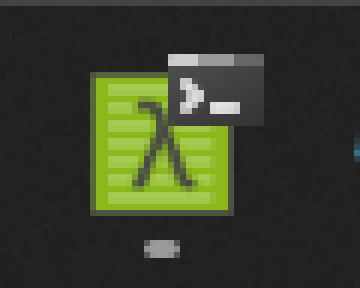
The group's own icon, badged with the program it is holding — a terminal, in this one. Magnified; on the taskbar the badge is about a third of the button.
| No badge | the button is just the group's icon. |
|---|---|
| When one program is open | the default. A group holding exactly one program wears that program's icon; two or none, and the badge goes away. Two windows of the same program still count as one. |
| Always, the program in use | a badge whenever the group holds anything, following whichever member you last used. This is the one that earns its keep with four windows open, because it is the only thing that says which of them you are looking at. |
The badge is left off when it would only repeat the button's own icon — a group that has no icon of its own borrows its first member's, and that group wearing that icon twice says nothing.
Why a badge and not the icon itself: a pinned button's icon is resolved by Windows once and then kept for the session. PerchBar can write a new one into the group's shortcut, and Windows picks it up minutes later if at all — which is worse than not changing it, because a stale icon misinforms. An overlay is drawn the moment it is set. Badges disappear when PerchBar exits; if it is killed rather than closed they last until those windows close, and the next PerchBar clears them when it starts.
An application can put its own badge on its button — Visual Studio's “update available” arrow is one, and so is an unread count. There is one badge per window and no way to read what is already there, so while a group has something to say its badge wins. PerchBar never clears a badge it did not set, though: it remembers which windows it badged, so an application's own outlives a PerchBar restart.